It is ten to ten, your call starts in five minutes, and the screen has frozen again. The broadband speed test looks fine, the provider says there is no fault on the line, and yet the connection in your spare-room office keeps wobbling. A lot of people in this position end up paying for a faster package that changes nothing.
Before you do that, look at the physical setup. In many home offices the router, a switch, a NAS or two and a tangle of power adapters have crept onto the floor or behind a desk over the years. That untidy pile causes more intermittent problems than most people expect, and it is cheap to investigate.
Recognising a physical problem rather than a broadband one
Broadband faults tend to be consistent: everything is slow, in every room, at all hours, and the provider's line checks show errors. Physical and local faults are patchy. Calls fail at certain times of day, a restart fixes things for a few hours, or the problem moves when someone nudges a cable or switches on a heater near the desk.
If a wired laptop is rock solid but your desktop drops out, the fault is in your own chain of cables, sockets and boxes, not outside the house. That chain is worth auditing properly before spending anything.
Checks to do this evening
Start by reseating every cable. Unplug and firmly re-plug each Ethernet lead at both ends, and look for kinked, trapped or chair-wheeled cables. A lead that has been stepped on or squashed under a desk leg can work most of the time and fail under load.
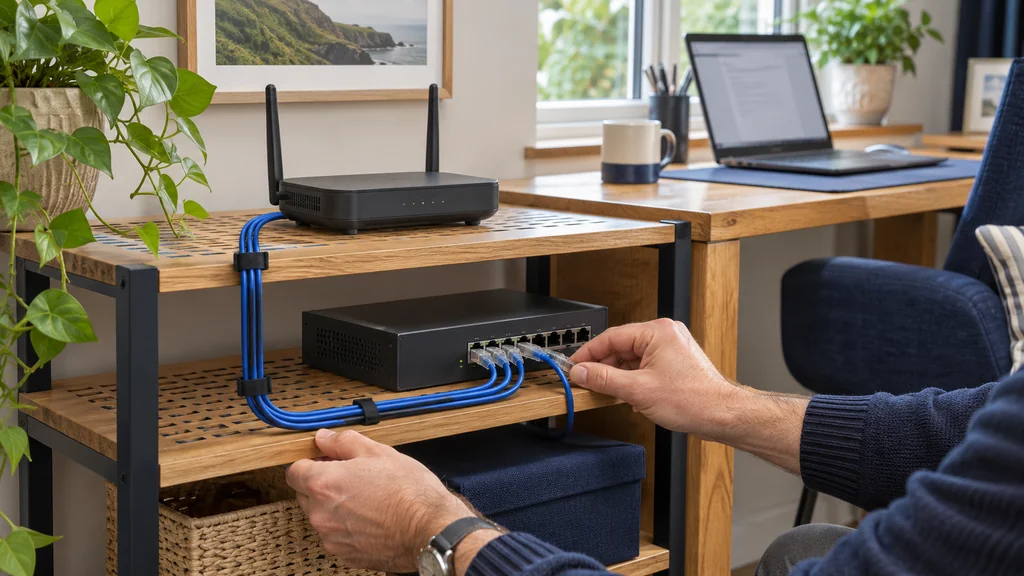
Next, feel the equipment. Routers, switches and external drives that are stacked on top of each other or pushed into a cupboard can run hot, and heat is a classic cause of random restarts. Give each device breathing space and see whether the dropouts ease. Then trace the power: if several adapters share one overloaded, loosely seated multi-socket strip, a brief flicker can reboot the router without you ever noticing.
Finally, test by elimination. Plug one device straight into the router with a short, known-good cable, run a long video call, and note whether it holds. Add the switch back, then the rest. When the problem reappears, you have found the weak link, and it costs nothing.
Where an open-frame rack genuinely helps
If your checks point to overheating, cable strain or kit that is simply in the way, giving the equipment a proper home can make the setup easier to keep reliable. An open-frame rack holds a router, switch, patch panel or NAS in one accessible place, keeps cables supported instead of dangling, and lets air move around the devices. The open design also makes it quick to see which cable goes where when something needs troubleshooting.
The open-frame racks from Revez come in three heights. The 7U Revez Open Frame AV Skeleton Rack suits a small setup: a router, a switch and perhaps one other device. The 12U Revez Open Frame AV Skeleton Rack gives more headroom if you expect a patch panel, a NAS and a UPS to join the stack. The 17U Revez Open Frame AV Skeleton Rack is for a larger home lab or someone running several devices. The supplied information says they accept network devices up to 19 inches deep and can be floor standing on castors or wall mounted, so check where yours would live and what size you actually need before buying.
When buying a rack will not fix anything
A rack is organisation, not a speed upgrade. If your line is faulty, if the router is outdated, or if the real issue is a weak Wi-Fi signal reaching the office, tidier cables will not change that. In that case look at running a wired connection to the desk, or a wired access point, rather than furnishing the cupboard.
Also be honest about scale. If you have one router and a single small switch, a shelf, a ventilated spot and some cable ties are probably enough. A rack makes sense when you have several devices, are adding more, or share the space with other household clutter that keeps knocking things loose.
Your next step
Reseat the cables, give hot kit some air, and test one wired device directly to the router before paying for faster broadband. If the audit shows a crowded, cramped pile of equipment, a small open-frame rack is a sensible way to make it tidy and easy to maintain, but measure your gear and your space first.
If you would like help matching equipment to your setup, contact Satellite Direct with your current model and the problem you want to solve.